
Yes, a website homepage should have a keyword, but only a small cluster built around your brand name, your broadest service category, and your primary city if you are local. It should not target your most valuable specific service keyword, because that term belongs on a dedicated page where it can actually rank. Most business owners get this backwards, cram their money keyword into the homepage, then watch their service pages stall. This guide shows which keywords belong on a homepage, where every other keyword goes, and how to place them without breaking the page or your rankings.
Key Takeaways
- A homepage should target a small keyword cluster, not one money term: your brand name, your broadest service category, and your primary city if you are local.
- Your most valuable specific service keyword belongs on a dedicated service page, not the homepage.
- When the homepage and an interior page chase the same keyword, they cannibalize each other and both rank worse.
- The homepage is usually your most authoritative page, so spend that authority on internal links that lift the pages built to rank.
- Local businesses serving one city put that city on the homepage; multi-city businesses need a separate page per city.
- Over-optimizing a homepage, with the keyword in every paragraph or stacked in the title tag, can trigger spam signals and sink conversions.
The Real Answer: Should a Website Homepage Have a Keyword?
Yes. A website homepage should have a keyword, but the right kind. Target a small cluster built around three things: your brand name, your broadest service category, and your primary city if you serve one area locally.
The mistake I see almost every week is a business owner who read that every page needs a target keyword, then forced their highest value service term onto the homepage. A dental clinic tries to rank the homepage for “dental implants North York.” A law firm points the homepage at “personal injury lawyer Toronto.” The matching service page then stalls, and the homepage never wins the term either.
The homepage plays by different rules because it does more jobs than any other page on your site. If you keep one line from this article, keep this one: the homepage is the hub, not the destination.
Pro Tip Before you touch a single keyword, write your homepage’s job in one sentence: tell a stranger who we are, prove we are credible, and send them to the right page. Any keyword that fights that job is sitting on the wrong page.
To pick the right cluster, you first need to see what the homepage is actually doing while it ranks.
What Your Homepage Actually Does (And Why It Changes the Keyword Rules)
Your homepage does five jobs at once, which is exactly why it cannot be laser focused on one keyword the way a blog post can.
A blog post answers one question. A service page sells one service. A location page targets one city. The homepage carries all of these at the same time:
- Introduces your brand in the first few seconds
- Routes visitors to the right interior page
- Builds trust through testimonials, credentials, and proof
- Pushes visitors toward one clear action, whether that is a call, a form, or a purchase
- Tells Google what your whole site is about
Because it juggles five things, a homepage that is hyper optimized for a single phrase starts to break. The copy gets stiff, the conversion path gets buried, and Google reads the mixed signals as thin relevance instead of strong focus.
We audited a Toronto renovation company whose homepage repeated “bathroom renovation Toronto” eleven times. It sat at position 14 for that phrase and converted almost nobody. We moved the phrase to a dedicated bathroom page, rebuilt the homepage around the brand and the broader “home renovation” category, and within about ten weeks the service page reached page one while the homepage started ranking for the wider category term.
So which keywords actually earn a spot on the homepage? Here is the framework we use with every client.
Which Keywords Belong on a Homepage
The right homepage keywords are broad and brand aligned: your company name, your top level service category, your primary city if you are local, plus two or three supporting variations. That is the entire homepage keyword list.
Your brand name. This is the homepage’s most powerful keyword. When someone searches your company by name, the homepage should be the first result. Google usually gets this right on its own, but the copy still needs to state clearly who you are.
Your broad service category. Think “SEO agency Toronto” for an SEO company, “plumbing services” for a plumber, “wedding photographer” for a photographer. These descriptive terms summarize the whole business in a few words.
Your primary location, if local. Serve one city and that city name belongs on the homepage. Serve several and the homepage should signal your wider service area while individual location pages target specific cities.
Two or three supporting terms. Close variations that reinforce the topic. For a Toronto SEO agency, those might be “search engine optimization services,” “SEO consultant,” and “digital marketing Toronto.” They keep the language natural without diluting focus.
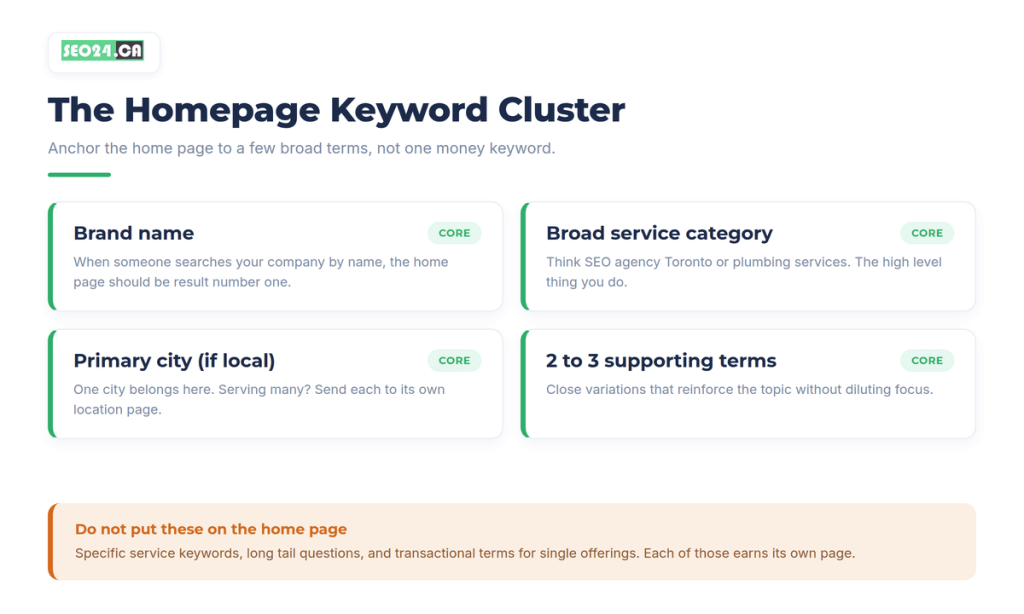
No specific service queries. No long tail questions. No transactional keywords for individual offerings. Those all go somewhere else.
You might be thinking a broad category term is too competitive to rank for, and often it is, and that is fine. The homepage earns your brand searches and lifts the rest of the site through internal links even when it does not top the category term on day one. If you want the full logic behind assigning terms to pages, our guide on what is keyword targeting walks through the whole system.
Once you know what stays on the homepage, the bigger question is where everything else goes.
Where Every Other Keyword Belongs
Every keyword you are not putting on the homepage needs its own page. The homepage is one node in a system, and that system only works when each term maps to exactly one URL.
Here is how we map keywords across a typical site so no two pages compete:
| Page type | Keyword focus | Example |
| Home page | Brand, broad category, primary city | “SEO agency Toronto” plus your brand name |
| Service pages | Specific service keywords | “technical SEO Toronto” |
| Location pages | City and neighborhood terms | “SEO services Scarborough” |
| Blog posts | Informational and long tail queries | “how long does it take to rank in Google” |
| Product or pricing | Commercial intent terms | “SEO pricing Toronto” |
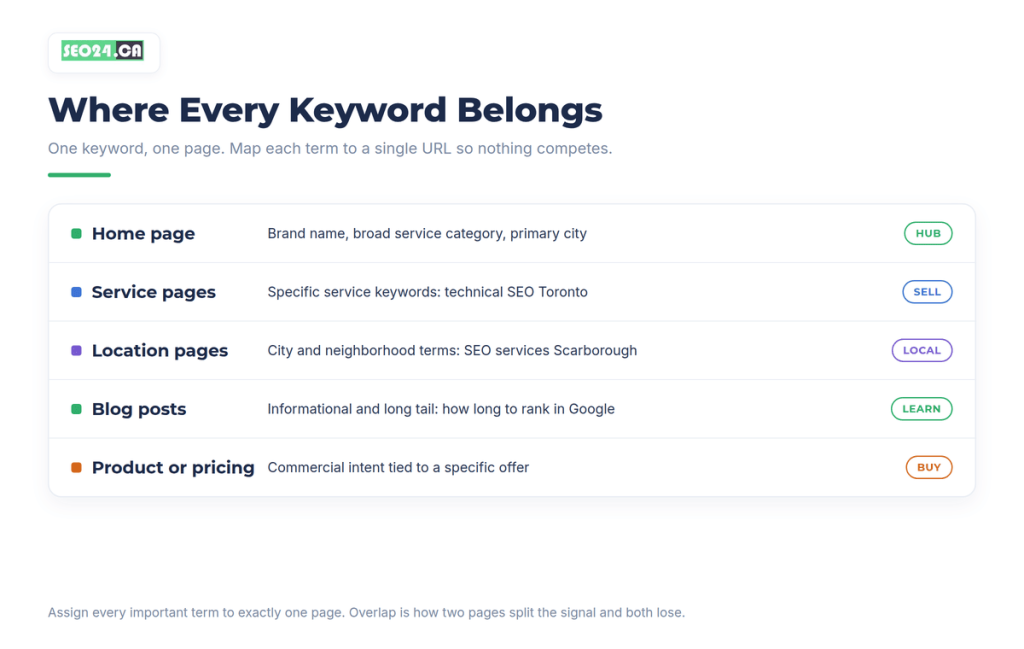
This is the part most articles skip, and it is the whole point of homepage keyword targeting. The homepage sets the topic; the interior pages win the specific battles. Our post on how many keywords per page covers how to scope each page so they do not step on each other, and what is internal linking shows how to wire the hub to those pages.
Pro Tip Keep a plain keyword map in a spreadsheet: one row per important term, one column for its assigned URL. The moment a term shows up in two rows, you have caught a cannibalization risk before Google ever does.
Mapping the terms is half the work. The other half is knowing what the homepage is really for, and that is where most owners get it backwards.
What Most People Get Wrong About Homepage Keywords
Here is the contrarian part: your homepage does not need to rank for your best keyword to be doing its job well. Most people grade a homepage by whether it ranks for the money term, and that is the wrong scoreboard.
A homepage that ranks first for your brand, wins the trust click, and passes authority to five service pages that each rank for their own term will out-earn a homepage stuffed with one competitive phrase. The homepage does hold the most authority on your site. Authority spent trying to win one keyword, though, is authority not spent lifting ten pages.
A B2B software client insisted the homepage target their flagship product keyword. It ranked position 8 and stayed there for months. We reassigned that keyword to a product page, used the homepage to link down to it with clean anchor text, and the product page reached position 3 in about two months while the homepage kept every branded conversion it already had.
Yes, a strong homepage can rank for broad non-branded terms, and that is a nice bonus. Chase it as the goal, though, and you usually end up with a page that reads like an SEO document and converts like one. When an optimized page refuses to move, cannibalization is often the reason, and our guide on why your optimized page won’t rank covers the rest.
With the strategy settled, here is how to place the cluster across the page itself.
How to Optimize Your Homepage for Keywords, Step by Step
Place your cluster across every on-page element without repeating it mechanically. Each element below should reinforce the same small set of terms.
Title Tag
Your title tag is the single most important on-page SEO element. For most homepages this formula works: Primary Keyword, then a pipe, then Brand Name. For example, “SEO Services Toronto | SEO24.” Keep it under 60 characters so it does not get truncated in search results, and pair it with a sharp meta description, which we break down in our guide on meta description length.
Meta Description
The meta description does not directly affect rankings, but it decides whether anyone clicks. Treat it like ad copy: include your primary keyword naturally, lead with a benefit, and aim for 150 to 160 characters. If your homepage shows up in search but nobody clicks, the description is usually the culprit, and our CTR optimization guide shows how to fix it.
H1
One H1 per page. It should say, in plain language, what you do and who you do it for. Include your primary keyword, but write it for a person first. “SEO Agency for Small Businesses in Toronto” works. “Welcome to Our Website” wastes the slot. “SEO Services Toronto SEO Agency SEO Consultant” reads like spam.
Body Copy
Most small business homepages fall short here. A hero image, a tagline, three icons with one sentence each, and a contact form is not enough signal for Google or trust for a visitor. Cover your main service areas in a paragraph or two each, mention your primary keyword naturally in the first paragraph, and link each section to its dedicated service page so the homepage acts as a hub. A homepage with real content gives Google a coherent picture of your topical authority, and our breakdown of the importance of SEO content goes deeper on what good looks like.
Image Alt Text
Every meaningful image should have descriptive alt text. Include keywords where they fit, but write for accessibility first. Compress the images too, since page speed is a confirmed ranking factor and a slow homepage undercuts everything above.
Internal Links
Your homepage is almost always the most authoritative page on your site because it attracts the most backlinks. Use that. Link out to your most important service and location pages with descriptive anchor text, and that authority flows down to the pages that need to rank for specific terms.
Pro Tip Audit your homepage’s outbound internal links once a quarter. Every link should point to a page you actually want ranking. A homepage that links mostly to your privacy policy and login page is leaking its best asset.
Keyword Cannibalization: The Homepage Trap
Keyword cannibalization happens when two pages target the same keyword, so Google cannot decide which one to rank and neither performs well. The classic version is a homepage optimized for “technical SEO Toronto” competing with a service page on the same term. They split the signal and both underperform.
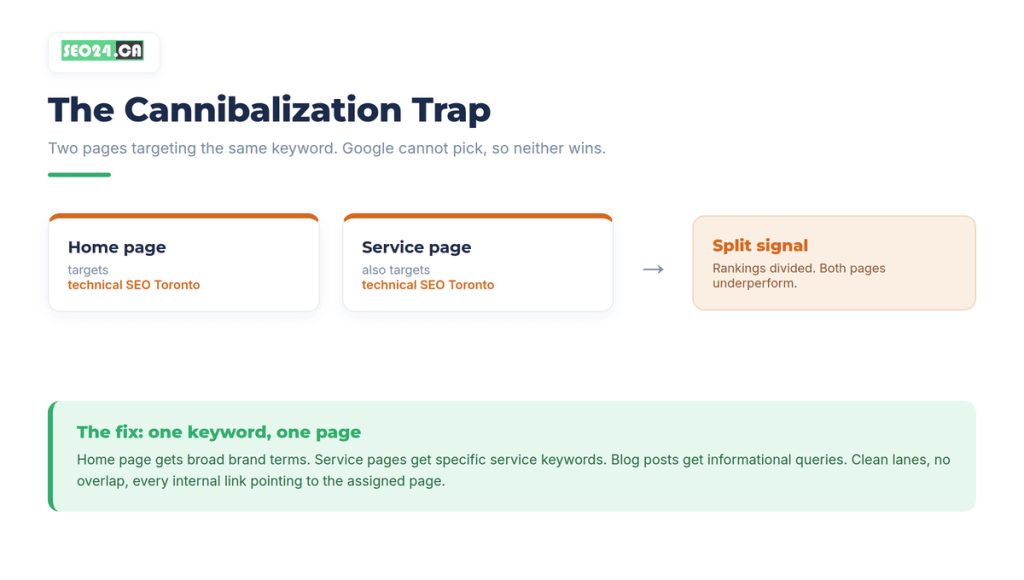
The fix is easy to describe and harder to hold to: one keyword, one page. Map each important term to exactly one URL, then make sure every internal link about that topic points to the assigned page. The homepage gets the broad brand terms. Service pages get the specific service keywords. Blog posts get the informational queries. Clean lanes, no overlap.
We once found a home services site where the homepage, a service page, and an old blog post all targeted “furnace repair Calgary.” None ranked past position 20. We assigned the term to the service page only, softened it on the homepage to the broader “heating and cooling” category, and redirected the stale post. The service page climbed to position 6 inside a quarter.
Cannibalization is usually a quiet problem, which brings us to the local businesses that hit it most often.
Should Location Keywords Go on the Homepage?
It depends on how many locations you serve. Serve one city or neighborhood and the location keyword belongs on the homepage. “Plumber in North York” is a perfect homepage keyword for a North York plumber.
Serve multiple cities and you build a dedicated location page for each one, then let the homepage represent the wider service area. Cramming four city names into your homepage title tag dilutes relevance for every one of them, and a focused page beats a scattered one every time. If you are structuring this for a Toronto area business, our local SEO services page explains how we build these site architectures.
Location handled, there is one more failure mode to watch, and it comes from trying too hard.
Signs Your Homepage Is Over-Optimized
You can absolutely push too far the other way. These are the warning signs that your homepage has crossed from optimized into over-optimized:
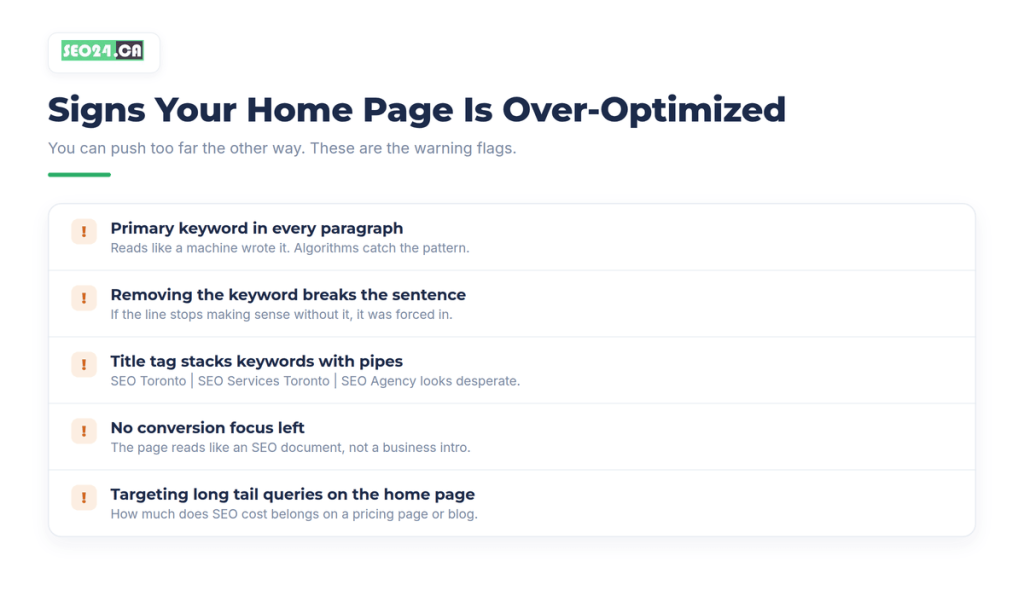
• Your primary keyword appears in every paragraph. This reads like a machine wrote it, and Google’s algorithms catch the pattern.
• Removing the keyword breaks the sentence. If a line stops making sense without the keyword, it was forced in.
• Your title tag stacks keywords with pipes. “SEO Toronto | SEO Services Toronto | SEO Agency Toronto” looks desperate and stopped working a decade ago.
• Your homepage has no conversion focus. If the page reads like an SEO document instead of a business introduction, you have gone too far.
• You are targeting long tail queries on the homepage. Something like “how much does SEO cost in Toronto” belongs on a pricing page or a blog post.
If any of these describe your current homepage, a free SEO audit will surface exactly what to fix and in what order.
Your Homepage Keyword Checklist
Use this checklist whenever you optimize or audit a homepage:
- Pick one primary keyword cluster: brand name, broadest service category, and city if you are local.
- Add two or three supporting terms that reinforce the topic.
- Write the page for a smart visitor who has never heard of you, then confirm the keywords appear naturally.
- Use every on-page element: title tag, meta description, H1, H2s, body copy, image alt text, and link anchors.
- Link from the homepage to your real keyword pages: service, location, and blog.
- Map every other keyword to a different page so nothing overlaps with the homepage.
Follow those six steps and you get a homepage that ranks for brand and category terms, feeds authority to the rest of the site, and turns visitors into customers without sounding like it was written for a search engine. If you want that structure built across your whole site, that is the work we do with our SEO services in Toronto and across Canada.
Conclusion
A website homepage should have a keyword, but the goal is focus, not volume. Anchor the page to your brand, your broad service category, and your primary city, then send every specific term to the page built to win it. That single decision, one keyword to one page, prevents most of the ranking problems homepages run into.
Treat your homepage as the hub of the system rather than the finish line. When it ranks for brand and category terms and passes authority down through clean internal links, the whole site climbs together. Write it for a real person first, place your cluster naturally across the on-page elements, and let your service and location pages fight the specific keyword battles.
Frequently Asked Questions
Should a website homepage have a keyword?
Yes. A website homepage should be optimized for a small cluster of keywords anchored by your brand name and your broadest service category, plus your city if you are local. It should not be stuffed with keywords or try to rank for every term on your site. One focused cluster beats targeting everything at once.
Which keywords should go on the homepage?
Homepage keywords should stay broad: your brand name, your top level service category, your primary city if local, and two or three supporting variations. Keywords for the homepage are descriptive terms like “SEO agency Toronto,” not specific service queries. Assign each specific keyword to its own service, location, or blog page.
Where do keywords go, homepage versus other pages?
The homepage gets brand, broad category, and primary city. Service pages get specific service keywords, location pages get city terms, blog posts get informational and long tail queries, and product or pricing pages get commercial terms. This is the core of primary page keyword mapping: assign each term to exactly one page.
How many keywords should a homepage have?
One primary keyword cluster, the brand plus a broad service category, and two or three supporting variations. Trying to target ten different topics on one page is the fastest way to rank for none of them.
Can over-optimizing a homepage hurt SEO?
Yes. Over-optimization can trigger Google’s spam detection and cause ranking drops. Beyond Google, a keyword stuffed homepage hurts user experience, so bounce rate climbs and conversions fall. The page ends up worse off than if you had done nothing.
Not sure which keywords your homepage should own?
Get a free SEO audit and we will map your homepage cluster, flag any cannibalization between your homepage and service pages, and show you the exact order to fix it.
Claim your free SEO audit