The fastest way to find blog post ideas is to pull them from data you can already see: the queries in Google Search Console, autocomplete and People Also Ask results, competitor content gaps, and the questions your own customers ask. Each source hands you topics with proven demand, so you stop guessing and start writing posts people actually search for. Below you will find every reliable way to find content for your blog, how to research blog post ideas properly, and how to validate each one before you write. Here is the part most blogs miss, and it is why their best writing never gets read.
Key Takeaways
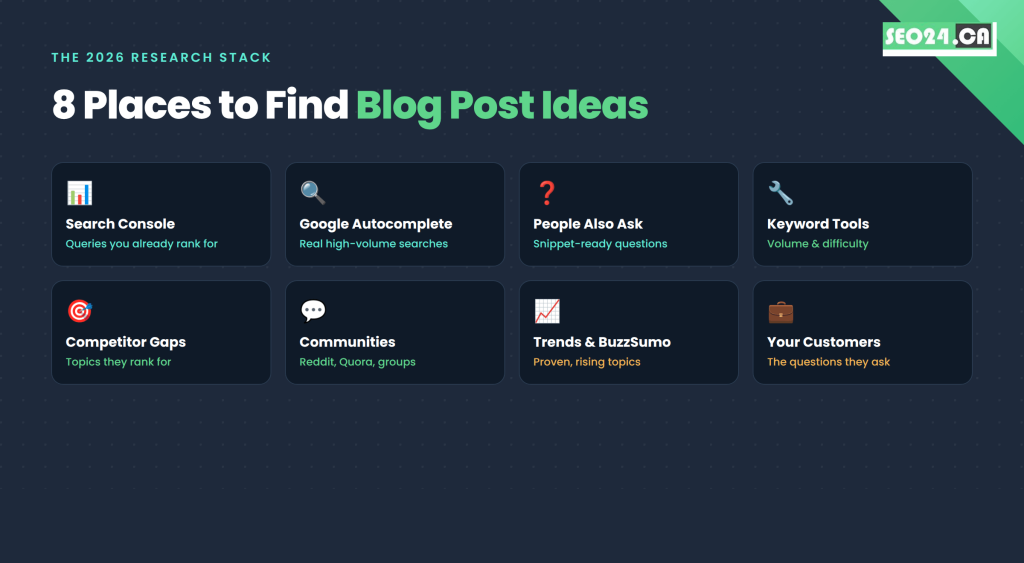
- The blog post ideas with the best odds of ranking come from search data, not brainstorming sessions: Search Console, autocomplete, People Also Ask, and keyword tools.
- Google Search Console is the most underused free idea source. Queries sitting in positions 5 to 20 are usually your fastest wins.
- Validate every idea against three filters before writing: real search volume, realistic ranking difficulty, and matching search intent.
- Competitor content gap analysis in Ahrefs or Semrush turns a rival’s traffic into your topic roadmap.
- Free tools (Google Keyword Planner, Ubersuggest, AnswerThePublic) are enough to plan three to four months of content.
- One broad topic can spawn 5 to 10 specific posts, which builds the topical authority Google rewards.
- A rolling backlog of 12 to 16 validated ideas means you never start a writing session from zero.
Why Most Blog Posts Fail Before You Write a Word
Most blog posts do not fail because of weak writing. They fail because of weak topic selection.
You can write a technically flawless article on a topic nobody searches for, and it will sit on your site collecting dust. You can also pick a topic thousands of people search for, then watch the first page get dominated by sites with millions of backlinks, and never crack the top ten no matter how good your post is.
Good topic research solves both problems at once. It finds the intersection of three things: what people are actively searching for, what your site can realistically rank for, and what genuinely helps your audience. Miss that intersection and you are not running a content strategy, you are buying lottery tickets.
What most people miss: Publishing more is not the fix. A blog that posts twice a week on unresearched topics will lose to a blog that posts twice a month on validated ones. Volume without demand is just expensive busywork.
So before you brainstorm a single headline, start with the data already sitting in your own account.
Find Content for Your Blog Inside Google Search Console
The first place to find content for your blog is Google Search Console, because it shows the exact queries Google already connects to your site. It is free, and it points you straight at topics where you are close to ranking.
Search Console reports which queries trigger your pages, which pages get impressions but almost no clicks, and which terms you rank for in positions 5 to 20. That last group is gold: Google already considers you relevant, so a dedicated, sharper post can push you onto page one.
Look hard at queries with plenty of impressions but a tiny click-through rate. Google is showing your page, but your content is not specific enough to earn the click. You have two moves: sharpen the existing page, or write a dedicated post that answers that exact query head-on. If the clicks are missing because your titles are flat, our guide on how to improve your click-through rate walks through fixes that take minutes.
| Pro Tip: Sort your Search Console queries by impressions, then filter to positions 8 to 20. Every query in that band that is not already a dedicated post is a blog idea Google is practically begging you to write. |
This guide itself is a live example. Over 16 months the page you are reading earned 47 impressions at an average position of 62 with zero clicks, while Google kept surfacing it for “find content for blog” and “how to research blog post ideas.” Those underserved queries became the headings you are about to read.
Before you chase brand-new topics, squeeze your existing library first. Our guide on how to update old blog posts shows how to pull more traffic from posts you already own.
Use Google Itself as a Free Keyword Tool
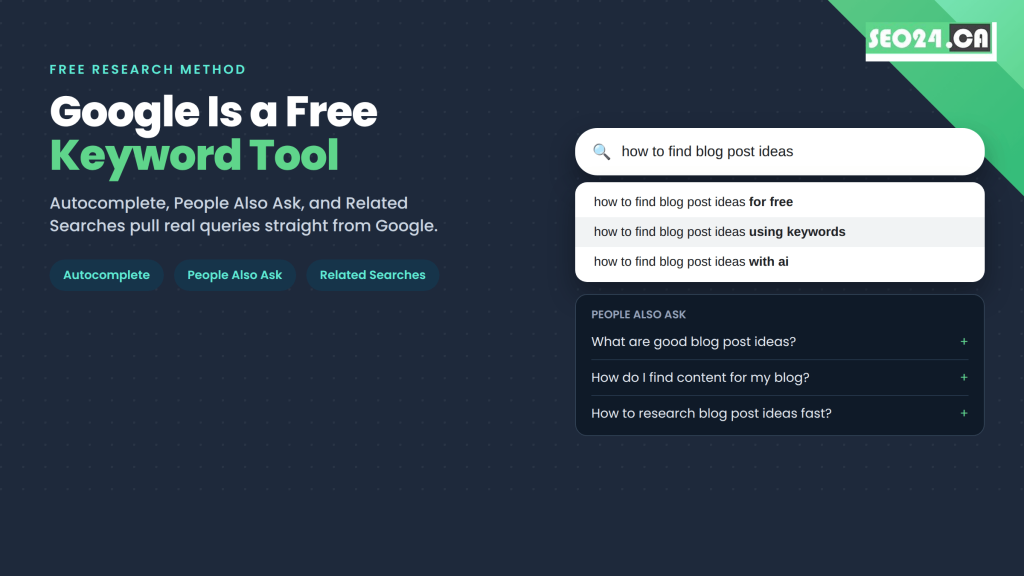
Google tells you what people search for, in real time, for free. You only have to know where to look: autocomplete, People Also Ask, and Related Searches.
Google Autocomplete
Start typing a topic and watch the suggestions appear before you finish. They are not random; they come from real, high-volume searches. Type “SEO for small” and you might get “SEO for small business Toronto,” “SEO for small business on a budget,” and “SEO for small business websites.” That is three validated post ideas in five seconds.
Change the opening word to surface different intents: “how to,” “best,” “why,” “what is,” “vs.” Each framing reveals a different searcher and a different angle.
People Also Ask
Every results page now includes a People Also Ask box of related questions real users type. Click one and it expands into more. Keep clicking and the list keeps growing.
Each question is a potential post, and because they are phrased as questions, answering them cleanly gives you a real shot at a featured snippet. We break down exactly how in our guide to ranking in zero-click searches and featured snippets.
Related Searches
Scroll to the bottom of any results page for the Related Searches block. These show where a searcher’s curiosity travels next, which is exactly where your content cluster should follow.
| Pro Tip: Run these three checks in an incognito window. A logged-in or location-personalized session feeds you suggestions shaped by your own history, not your audience’s. |
Google’s free data tells you what people search for. To learn how many people and how hard the competition is, you need keyword tools.
How to Research Blog Post Ideas With Keyword Tools
To research blog post ideas with keyword tools, enter a broad topic, then mine the related keywords, questions, and long-tail variations the tool returns. Filter for terms with real search volume and manageable difficulty, and that filtered list becomes your topic backlog.
This is where ideation turns into strategy. A keyword tool answers the two questions Google’s free features cannot: how many people search a term each month, and how competitive that term really is. Get keyword ideas for your blog this way and you stop confusing “interesting to me” with “worth ranking for.”
Start With Free Tools
- Google Keyword Planner was built for advertisers but works fine for content research. Enter a topic and get related keywords with volume ranges and competition levels.
- Ubersuggest returns keyword suggestions, search volume, an SEO difficulty score, and a look at what currently ranks. The free daily limit is enough for most planning sessions.
- AnswerThePublic maps every question, preposition, and comparison around a keyword. Type “blog content ideas” and you get dozens of question-shaped topics, each a potential article.
Upgrade to Paid Tools When the Volume Justifies It
If content is core to your SEO, Ahrefs, Semrush, and Moz give depth free tools cannot: exact volumes, keyword difficulty scores, traffic estimates for ranking pages, and full competitor analysis. For a budget-based breakdown, see our roundup of the best SEO tools for beginners.
| Pro Tip: Do not write off a keyword just because its monthly volume looks small. A term with 90 searches a month and clear buyer intent often outperforms a 9,000-search term where readers are only browsing. Match the keyword to where the reader sits in the journey, which is the heart of keyword targeting. |
Your competitors have already run a lot of this research for you. The trick is reading their results.
Steal Your Competitors’ Best Topics (Then Do Them Better)
If a competitor publishes consistently and ranks for it, they have proven the demand. Your job is not to copy them, it is to cover the same ground more completely or more specifically.
Read What Ranks, Then Spot the Gaps
Open a competitor’s blog and find their most popular and most-linked posts. What topics repeat? What is clearly driving their traffic? Now look for the holes: subtopics they skim, questions they dodge, a local or niche angle they ignore.
Say a rival has “How to Do Local SEO” covering the basics broadly. You can win with “Local SEO for Toronto Restaurants” or “Local SEO for Service Businesses Without a Storefront,” each more specific, more useful, and less competitive. We use this exact approach in our guide to building an SEO strategy for niche markets.
Use Content Gap Tools
In Ahrefs or Semrush, the Content Gap tool takes your URL plus several competitor URLs and lists every keyword they rank for that you do not. Filter by meaningful volume and low-to-medium difficulty, and the result is a prioritized roadmap rather than a guess.
Real example: A Toronto bookkeeping firm we audited ran a content gap report against three rivals and found 41 keywords they were missing, including “how to categorize business expenses.” That single post brought in steady organic leads within a quarter, because the intent was commercial and the competition was thin.
Tools surface the topics. Real people tell you how they actually talk about them.
Mine Real Questions From Reddit, Quora, and Communities
Keyword tools show search strings. Forums show the messy, human version of the same questions, often before a keyword tool has enough data to register them.
Reddit has a community for nearly every niche. Search your topic and read which questions repeat, what confuses people, and what they wish existed. A thread with 200 comments and 500 upvotes about one problem is a blog post with its demand already proven.
Quora
On Quora, filter questions by views and followers. High view counts mean many people share the same question. Bonus: the phrasing people use is close to how they type into Google, so you get the topic and the headline language at once.
Industry Facebook Groups and LinkedIn Communities
Questions in niche groups come from your exact audience, the people who could become clients. When the same question surfaces across different groups, treat it as a high-priority topic. Write the definitive answer, publish it, then share it back as a resource.
| Pro Tip: Keep a running “question swipe file.” Every time a prospect, comment, or thread asks something you can answer, drop it in. Within a month you will have more validated ideas than you can write. |
Communities tell you what is constant. Trend tools tell you what is heating up right now.
Catch Trends Early With Google Trends and BuzzSumo
Trending topics can deliver fast traffic, but they should sit on top of an evergreen foundation, not replace it. Weight your calendar toward topics that pay off for years, then add timely pieces when the moment is right.
Google Trends
Type any keyword into Google Trends to see interest over time: rising, declining, or seasonal. Use it two ways, to judge whether an evergreen topic has stable demand, and to time seasonal content. A landscaping blog schedules spring-prep posts before the search curve peaks; a tax accountant publishes filing guides as interest climbs in early spring.
BuzzSumo
BuzzSumo shows which articles on a topic earned the most shares and engagement. Search a subject and you instantly see the angles that already resonate, plus the questions and formats audiences reward. It is one of the quickest ways to find content ideas with a track record rather than a hunch.
Industry News and Newsletters
Follow the publications and voices in your field. When a development gains momentum, being one of the first credible posts on it is a rare way for a newer site to outrank established players, because Google rewards timely, quality coverage. Our guide on creating trending content covers the workflow.
Yes, but: Chasing every trend is a trap. A spike of traffic that vanishes in two weeks rarely beats one evergreen post that compounds for two years. Ride a trend only when it genuinely connects to what your audience needs.
There is also a newer source of ideas that did not exist a few years ago, and used well, it accelerates everything above.
Use AI Tools to Generate and Cluster Ideas in 2026
AI tools are excellent for expanding and organizing blog post ideas, but they should support keyword research, not replace it. Use them to brainstorm angles and group topics fast, then validate every idea against real search data.
In 2026, tools like ChatGPT, Gemini, and Perplexity can take one seed topic and return 30 related angles, cluster them into themes, and draft outlines in seconds. That turns a blank page into a starting point. What AI cannot know is your site’s authority, the real search volumes in your market, or what currently fills page one for your target query.
There is a second reason this matters now. AI search engines and Google AI Overviews increasingly answer questions directly, so the posts that get cited are clear, specific, and structured around real questions. Writing for that format starts with picking question-shaped topics, exactly the ones autocomplete and People Also Ask hand you. See how the surface works in our explainer on Google AI Overviews.
| Pro Tip: Prompt AI as a clustering assistant, not an oracle: “Group these 25 keywords into topic clusters and flag which belong in one pillar post.” Then confirm volume and difficulty in a real keyword tool. For tool picks, see our list of the best AI content writing tools. |
AI can also tap a source you already own and most blogs ignore completely: your own business.
Turn Your Own Business Into an Idea Engine
Your sales calls, support tickets, and customer emails are the richest idea source you have, and almost nobody mines them. Every recurring question is a blog post that speaks in your buyer’s exact language.
The Questions Customers Actually Ask
Think about what clients always want to know, always misunderstand, or ask first. A Toronto SEO client who asks “How long until I see results?” becomes a post on realistic timelines (see our guide on how long it takes to rank in Google). “Do I need social media for SEO to work?” becomes a post on that exact relationship. These attract readers already in consideration mode, not idle browsers.
Your Products and Services
For every product or service, ask what a smart buyer needs to know before purchasing, and what misconceptions they carry in. Those pre-purchase questions make excellent posts because they pull qualified traffic that leads naturally to your offer. If you run an SEO service in Toronto, topics like “What to Look for When Hiring an SEO Agency” serve readers weighing exactly what you sell.
You might be thinking: “My business is too boring for this.” It is not. The duller the niche looks, the thinner the existing content usually is, which means less competition and a faster path to ranking for the questions your buyers genuinely ask.
Once you have one strong topic, the smart move is rarely to stop at one post.
Turn One Idea Into a Whole Content Cluster
Finding one good topic is the start, not the finish. Any broad subject can break into a cluster of specific posts that each target a different long-tail query.
“SEO for small businesses” can spawn “local SEO for restaurants,” “keyword research on a small budget,” “how to set up a Google Business Profile,” and “how to measure SEO without expensive tools.” Think of the broad topic as a tree trunk and each post as a branch reaching a different searcher.
This is topical authority building, one of the most durable SEO strategies there is. Cover a subject deeply across many connected posts and Google starts treating your site as an expert source, lifting the whole cluster. Your internal linking between those posts reinforces the structure and passes authority across pages.
| Pro Tip: Map the cluster before you write the first post. One pillar page plus 6 to 10 supporting posts, all interlinked, ranks better as a set than ten orphan articles published at random. |
With ideas multiplying, the risk flips from “not enough topics” to “which topic first?” Here is a fast way to choose.
Which Idea Method Should You Use? A Quick Comparison
There is no single best idea finder; the right method depends on your time, budget, and how much proof of demand you need. Here are the top methods for finding blog ideas, compared side by side.
| Method | Best for | Cost | Speed | |
| Search Console | Quick wins you already half-rank for | Free | Fast | |
| Google autocomplete & PAA | Question-shaped, snippet-ready topics | Free | Fast | |
| Free keyword tools | Volume checks and topic variations | Free | Medium | |
| Paid tools (Ahrefs, Semrush) | Exact data and content gap analysis | Paid | Medium | |
| Competitor gap analysis | A prioritized, proven topic roadmap | Paid | Medium | |
| Reddit, Quora, communities | Real audience language and pain points | Free | Slow | |
| Google Trends & BuzzSumo | Timing and proven, high-engagement topics | Freemium | Fast | |
| AI tools | Brainstorming angles and clustering | Freemium | Fast | |
| Your own customers | High-intent, low-competition topics | Free | Ongoing | |
Pro Tip: Do not pick one. Stack them. Start in Search Console for fast wins, confirm volume in a keyword tool, run a competitor gap report for scale, and keep a customer-question swipe file running in the background.
Whatever mix you use, one step separates blogs that rank from blogs that just publish.
Validate Every Idea Before You Write
Before you commit hours to a draft, run each idea through three filters. Pass all three and write it. Fail one and adjust or drop it.
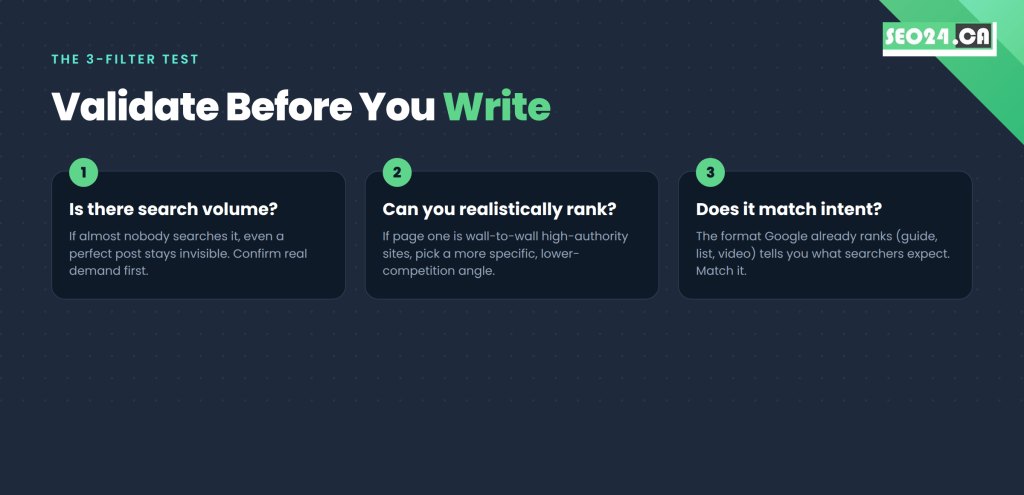
- Is there search volume? If almost nobody searches it, even a perfect post stays invisible. Confirm real demand in any keyword tool first.
- Can you realistically rank? Check page one. If it is wall-to-wall high-authority sites with thousands of backlinks, pick a more specific, lower-competition angle instead.
- Does it match search intent? Look at whether Google ranks guides, lists, product pages, or videos for the term. That format tells you what searchers expect, and your post has to match it.
Skipping validation is why many “good ideas” never rank. If a topic struggles to clear all three filters even after you sharpen it, the smarter move is a different angle, not a longer draft. For why even optimized pages stall, see our breakdown of reasons your optimized page won’t rank.
What most people miss: Intent mismatch quietly kills more posts than competition does. Writing a 2,000-word guide when Google is ranking quick comparison tables means you answered a question nobody was asking in the format they wanted.
Validated ideas are only useful if you capture them before the pressure of a deadline hits.
Build a Content Calendar So You Never Run Out Again
The worst time to find a topic is the moment you sit down to write. Decisions get rushed and the research suffers. The fix is a rolling backlog you refill on a schedule.
Keep at least 12 to 16 validated ideas queued, roughly three to four months of weekly posts, so you never start from zero. Do research in dedicated sessions, separate from writing, and block a few hours each month to top up the bank using the methods above.
A simple spreadsheet does the job: topic, target keyword, search volume, difficulty, audience stage (awareness, consideration, decision), and planned publish date. That turns content planning from a recurring scramble into a predictable system.
| Pro Tip: Tag each idea with its audience stage. If your backlog is all awareness-stage how-tos and no decision-stage posts, your blog will pull traffic that never converts. Balance the funnel as you fill the calendar. |
When your posts are SEO-friendly at the writing level and matched to intent, they start ranking, and Search Console feeds you the next round of ideas. If you are unsure how deep each post should go, our guide on ideal blog post length gives a practical framework.
Conclusion
Finding blog post ideas is not a creativity problem, it is a research habit. The blogs that never run dry treat ideation as a system: they pull topics from search data, validate demand and difficulty before writing, and let every published post feed the next idea through Search Console.
Aim for the overlap between what your audience searches, what you can realistically rank for, and what your business is qualified to answer. Hit that intersection consistently and your blog stops being a guessing game and starts compounding into a dependable source of organic traffic.
Frequently Asked Questions About Blog Post Ideas
How do I find content for my blog when I don’t know what to write about?
Start with Google. Type your main topic into the search bar and study the autocomplete suggestions and the People Also Ask box, both pulled from real searches. Then open Google Search Console to see which queries already bring people to your site, even in small numbers. Add the questions your customers ask most often, and you will have more validated ideas than you can write.
How do I research blog post ideas the right way?
Enter a broad topic into a keyword tool, then review the related keywords, questions, and long-tail variations it returns. Filter for terms with meaningful search volume and manageable competition, where page one is not all giant authority sites. Those filtered keywords are your researched ideas. As a rule, the more specific the keyword, the easier it is to rank and the more targeted the traffic.
What are the best free tools for finding blog post ideas?
Google itself is the most powerful free option: autocomplete, People Also Ask, and Related Searches give you real search data at no cost. Google Keyword Planner, Ubersuggest, and AnswerThePublic add volume figures and topic variations on free tiers. Google Search Console is also free and shows the queries you already rank for but underserve.
How do I find blog topics my competitors are not covering?
Use the content gap tool in Ahrefs or Semrush. Enter your URL and your top competitors’ URLs, and it lists every keyword they rank for that you do not. Filter by volume and difficulty to find the most accessible wins. Also look for subtopics rivals cover only lightly; deeper, more specific posts on those can outrank broad pieces from bigger sites.
Should I use AI to come up with blog post ideas?
Yes, for brainstorming and clustering, but not as a replacement for keyword research. AI tools like ChatGPT or Gemini quickly expand one topic into many angles and group them into themes. They do not know your site’s authority, your market’s real search volumes, or what currently ranks. Generate ideas with AI, then validate every one against real keyword data before you write.
How many blog ideas should I have ready before I start publishing?
Aim for at least 12 to 16 validated topics in your backlog before you begin, roughly three to four months of weekly content. That runway lets you see what performs and make smarter calls from real data. The key word is validated: each idea should have confirmed search volume, manageable competition, and a clear intent match before you commit.
Your Next Step: Turn This Into a 90-Day Idea Bank
Block 90 minutes this week and do three things: export your Search Console queries and flag every term sitting in positions 8 to 20, run one competitor through a content gap tool, and list the five questions your customers ask most. That alone will fill a quarter of validated topics.
If the research and writing keep getting pushed to next week, that is exactly what our content team handles. Book a free SEO content audit with SEO24 and we will show you the highest-value blog post ideas your site is already positioned to rank for, with a plan to capture them.