


Setting Up Google Alerts for Your Business
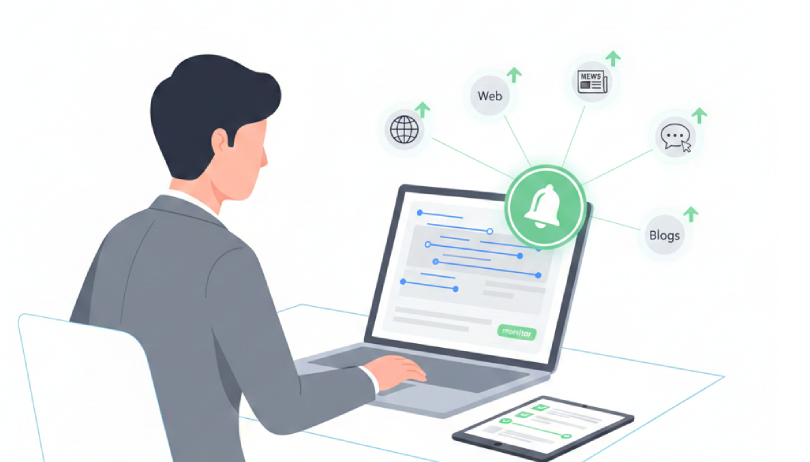
In today’s fast paced digital world, maintaining control over your company’s online presence is crucial. Mentions of your brand, products, or industry trends can appear anywhere from news articles and blogs to forums and niche websites. Google Alerts is a free, easy to use tool that helps businesses monitor these mentions in real time, respond quickly, track competitors, and stay ahead in their industry. This guide explains how to set up Google Alerts effectively, select the right keywords, and use notifications to enhance your brand reputation and business strategy.
Table of Contents
What Are Google Alerts?
Google Alerts is a free service that notifies you when new online content matches the keywords you specify. Businesses can track mentions of their brand, products, industry trends, or competitors. These alerts are delivered via email and allow companies to stay informed without manually searching the web.
Why Companies Should Use Google Alerts
Using Google Alerts helps businesses:
- Monitor brand mentions: Stay aware of what people are saying about your company online.
- Track competitors: Follow competitor news, product launches, and marketing activities.
- Discover industry trends: Identify emerging topics and discussions relevant to your sector.
- Manage online reputation: Respond quickly to customer feedback, reviews, or mentions.
How to Set Up Google Alerts
Follow these steps to set up effective alerts for your company:
- Access Google Alerts: Go to Google Alerts.
- Enter Keywords: Input terms related to your business, products, or industry. Use quotation marks for exact phrases.
- Customize Settings:
- Frequency: Choose “As it happens,” “Once a day,” or “Once a week.”
- Sources: Select relevant types like News, Blogs, Web, Discussions, Video.
- Language and Region: Target specific markets or languages.
- Results Volume: Choose “All results” or “Only the best results.”
- Create Alert: Click “Create Alert” to activate notifications.
Choosing Keywords Effectively
To maximize Google Alerts’ usefulness:
- Use specific keywords related to your brand, products, or services.
- Include variations, synonyms, and common misspellings.
- Use advanced operators:
- Quotation marks ” ” for exact matches
- Minus sign to exclude irrelevant terms
Example: “Local SEO North York” job excludes job listings while tracking local SEO mentions.
Best Practices for Google Alerts
- Multiple alerts: Track brand mentions, competitors, and industry news separately.
- Regular review: Adjust keywords and settings as your business evolves.
- Monitor negative mentions: Include terms like “complaint” or “issue” to quickly identify potential problems.
- Complement with other tools: For deeper insights, use analytics, sentiment analysis, or social media monitoring tools.
Benefits of Google Alerts
- Proactive reputation management: Quickly respond to feedback or mentions.
- Competitor intelligence: Stay updated on your competitors’ strategies.
- Trend discovery: Identify emerging topics to inform marketing and content strategy.
- Time saving: Automatically receive notifications instead of manually searching the web.
Advanced Strategies for Using Google Alerts
While basic alerts are helpful, advanced strategies can make them much more effective:
Segment Alerts by Topic
Create separate alerts for:
- Brand mentions (your company name, product names)
- Competitor mentions
- Industry trends
- Customer feedback or reviews
- Segmenting alerts allows you to prioritize information and act faster on the most important updates.
Leverage Boolean Operators
Boolean operators allow you to refine alerts and avoid irrelevant results:
- “Brand Name” AND “review” alerts only when your brand is mentioned in reviews
- “Product Name” OR “Alternate Product Name” tracks multiple variations in a single alert
- “Brand Name “job” excludes job related mentions.
Track Key Personnel
Monitor mentions of CEOs, founders, or other executives. Public mentions of your team can impact your brand perception. Use “CEO Name” AND “Company Name” for targeted tracking.
Combine Google Alerts With RSS Feeds
Instead of only using email notifications, direct alerts to an RSS feed reader. This creates a centralized hub for monitoring multiple keywords without overflowing your inbox.
Set Alerts for Market Specific Trends
Target alerts to specific regions, languages, or niches. For example, if your business operates in Canada, filter alerts to .ca domains or English/French content. This ensures highly relevant insights.
Using Alerts for Competitor Intelligence
Google Alerts isn’t just for tracking your brand it’s a powerful tool to monitor competitors:
- Track competitor product launches or campaigns in real time.
- Identify new partnerships or acquisitions in your industry.
- Monitor PR mentions or media coverage.
- Compare your marketing performance indirectly by following competitors’ visibility.
Pro Tip: Create a spreadsheet to log competitor mentions from Alerts. Over time, this provides a data driven overview of market activity.
Conclusion
Google Alerts is more than just a notification tool it’s a strategic asset for businesses. When used smartly:
- It keeps you informed about your brand, competitors, and industry trends.
- Supports content strategy and reputation management.
- Helps make data driven decisions based on real time online insights.
By applying advanced strategies, segmenting alerts, using Boolean operators, and combining Alerts with other tools, companies can fully leverage this free resource for competitive advantage and brand growth.
FAQ:
What is Google Alerts and how does it work?
Google Alerts is a free tool that sends email notifications whenever new content matching your specified keywords appears online. It helps businesses monitor brand mentions, competitors, and industry trends without manually searching the web.
How do I set up Google Alerts for my company?
Visit Google Alerts enter your company name or relevant keywords, and customize alert settings such as frequency, sources, language, and region. Then click “Create Alert” to activate notifications.
Can I monitor competitors using Google Alerts?
Yes. You can create alerts for competitor names, product launches, campaigns, or related keywords to track their online presence and marketing activities in real time.
How can Google Alerts help with local SEO?
By monitoring location specific keywords or regional mentions, Google Alerts helps businesses identify local opportunities, track competitor strategies, and stay updated on relevant trends in their area.
Related Posts
Learn what SEO is and why it's crucial for your business. Find out how optimizing your website can boost…
by
Having a great website is just the first step. To get people to visit it, they need to be…
by
As voice search becomes more popular, it's clear that people are changing how they look for information online. Users…
by
With the rise of zero-click searches, ranking at the top of Google's search results has taken on a new…
by